It's 6:47 AM. Your alarm went off thirteen minutes ago, but you're still in bed, scrolling through your phone with one eye open. The coffee maker is programmed, but you can't quite bring yourself to get up and face the day. Somewhere between the third snooze button and that notification ping, you wonder: when did mornings become something to survive rather than enjoy?
For many, the struggle starts before the day even truly begins. But what if a simple shift in your environment could make a tangible difference? Imagine a workspace that effortlessly supports your workflow, reducing friction and freeing up mental energy. That's where the power of the right monitor comes in. And right now, this Samsung ultrawide monitor is on the table with an incredible discount.
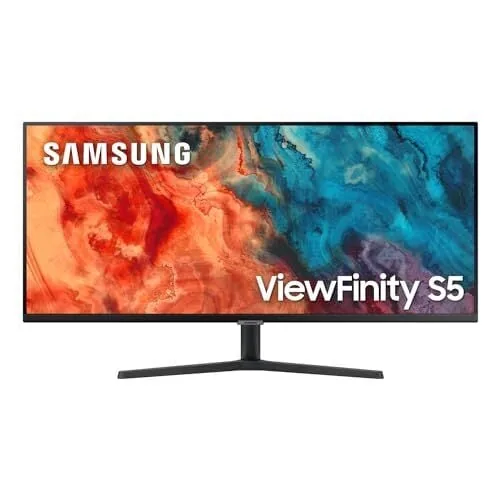
Currently priced at just $199.99 on Amazon--a substantial drop from its usual $349.99--this 34-inch Samsung ViewFinity S50GC offers a compelling proposition for anyone looking to elevate their productivity setup. This is the lowest price we've seen for this model, making it an opportune moment to consider an upgrade.
More Screen Real Estate for Your Workflow
What you're getting with this Samsung ultrawide monitor is a generous 34-inch display boasting a 3440x1440 QHD resolution. This translates to significantly more horizontal space compared to a standard monitor. In practical terms, this means you can comfortably keep multiple windows open simultaneously--think a web browser, a document, and a spreadsheet--without the constant dance of switching between tabs. For professionals who juggle various applications, this can be a genuine productivity booster.
The 21:9 aspect ratio also makes a noticeable difference if you're involved in tasks like video editing. Imagine seeing your entire timeline laid out without constant scrolling, or having your editing software, preview window, and notes all visible at once. It streamlines the entire process.
Flat Panel Design and VA Panel Benefits
Unlike many ultrawide monitors that feature a curved display, this Samsung model sports a flat panel design. While some users prefer the immersive wrap-around feel of a curve, which can feel more natural on wider screens, a flat panel keeps the edges of the display at a consistent distance. For most users, especially if you're not sitting extremely close, this distinction is minor.
What you do gain is a VA (Vertical Alignment) panel known for its strong contrast ratios. This means blacks appear deeper and more true, avoiding that washed-out look. This is particularly beneficial when you're working in dimly lit environments, watching movies, or engaging in casual gaming sessions. You'll also find useful features like Picture-in-Picture (PIP) and Picture-by-Picture (PBP) modes for multitasking, along with auto-brightness adjustment powered by a light sensor, and essential ports like DisplayPort and two HDMI inputs.
Smooth Refresh Rates and Considerations
The 100Hz refresh rate is a welcome upgrade from the more common 60Hz found on many monitors. This higher refresh rate results in smoother scrolling through web pages and a more fluid visual experience in casual games. Coupled with its Adaptive-Sync support (ranging from 48-100Hz), this Samsung ultrawide monitor helps ensure gameplay remains free from screen tearing, provided your graphics card can keep pace.
However, like many VA panels, there's a potential for some ghosting in fast-moving scenes, particularly in darker areas of the image. The peak brightness is rated at 300 nits, which is perfectly adequate for indoor use. While it supports HDR10, the practical impact on visual quality might be limited. Color reproduction is decent for everyday tasks and general entertainment, but it might not meet the stringent requirements for professional color-accurate work. You might also notice subtle variations in brightness across the screen, though these are generally minor.
At this price point, this Samsung ultrawide monitor represents a solid choice for enhancing productivity and enjoying casual entertainment. It's a smart investment for your home office, offering a significant upgrade in screen real estate and multitasking capability without breaking the bank. While it may not be the top pick for professional color grading or competitive esports, its value proposition for general use is hard to beat.