Forget generic AI art. What if your digital assistant could tap into your personal memories to craft unique visuals? Gemini is making that a reality, bringing your photos and videos into the realm of AI-generated imagery. If you've ever wished you could instantly visualize a concept using your own life as the inspiration, this new feature is for you.
Your Memories, Now Art
Gemini's Personal Intelligence, which tightens its connection to your Google apps, is expanding its capabilities. Now, it's integrating with Google Photos, leveraging a powerful AI model to create images based on your personal content. The magic lies in its ability to understand context without you having to manually point it to specific pictures. Simply describe what you envision, and Gemini will mine your photo library for relevant people, places, and details.
Imagine typing, "Create a whimsical illustration of my dog, Max, wearing a tiny wizard hat on our favorite hiking trail." Gemini can sift through your photos to find images of Max and your usual hiking spots, then weave them into a charming, personalized artwork. Or perhaps you want to visualize a future vacation: "Generate a serene watercolor of my family relaxing on the beach we visited last summer." Again, Gemini can recall the specific beach and family members from your stored memories.
This isn't about uploading specific images for the AI to work with; it's about Gemini understanding your life through the lens of your photo collection. As Google explains, "since this is built into how you normally use the Gemini app there's no extra setup." If you've already linked your Google apps, your personal context is ready to fuel creative prompts. The results? Images that genuinely reflect your specific tastes and lifestyle, gleaned directly from the digital tapestry of your life.
For instance, you could ask Gemini to "create a playful cartoon of my kids building a sandcastle at the beach," and it would pull details from your vacation photos to bring that scene to life. Or, "design a futuristic cityscape inspired by the architecture in my travel photos from Japan." The AI aims to make image creation more personal and intuitive than ever before. This powerful new feature means gemini can now create visuals that are deeply rooted in your personal experiences.
Seamless Creation, With Control
The enhanced Personal Intelligence experience is rolling out within the Gemini app, currently for paying subscribers in the U.S. on the AI Plus, AI Pro, or AI Ultra plans. No extra setup is required if your Google apps are already connected. You might see an in-app announcement about the upgrade, a common practice by Google.
With the 'Create image' option selected, you simply type your request. Gemini handles the rest, drawing on your Google Photos library. For example, "create a sketch of my family on vacation at the beach" or "make a photo collage of my desert island essentials" could work, provided Gemini can find enough context. The AI intelligently uses labels you've applied, like names of people and pets, to interpret your prompts.
Google acknowledges that Gemini might need a few tries to nail the exact image you have in mind. If the results aren't quite right, you can click the Sources button below a generated image to see which photos Gemini used as references. You can then guide Gemini with follow-up prompts for edits or use the '+' button to specify different reference photos. This iterative process ensures you get closer to your desired outcome.
While the idea of an AI delving into your personal life might raise an eyebrow, it's important to remember that Google Photos already uses AI to recognize content within your pictures. This integration is an extension of that, making your personal data work harder for you. Google assures users that Gemini does not "directly" train its AI models on your photos, but uses "limited" information to enhance user experience. Connecting Google Photos remains an opt-in choice.
You maintain full control. If you decide to disconnect your Google Photos library from Gemini, it's straightforward. Navigate to the Gemini app, click the cog icon (on the web) or tap your profile picture (on mobile), and select 'Connected apps' to manage your preferences. This ensures that while gemini can now create personalized images, your privacy remains paramount.
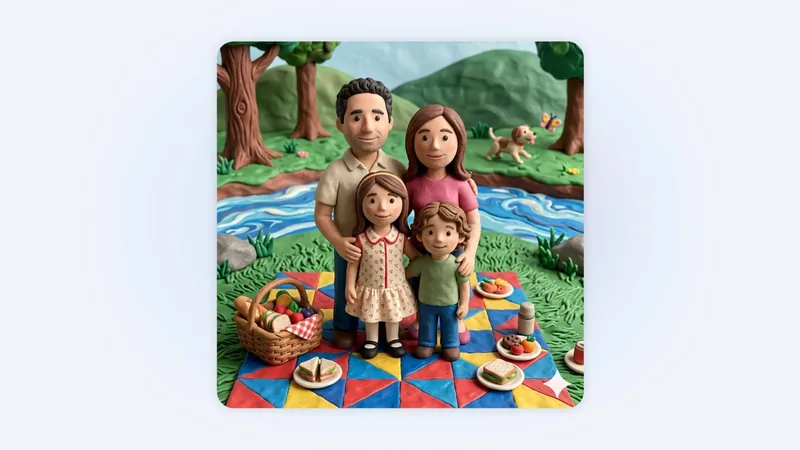
The convenience of seeing your own life reflected in AI art is compelling. Whether it's visualizing a "dream house nestled in my favorite setting" or a "claymation-style portrait of my family," the ability for gemini can now create these images from your personal library offers a unique blend of AI power and personal narrative. This feature truly makes gemini can now create a more intimate and useful tool for everyday users.