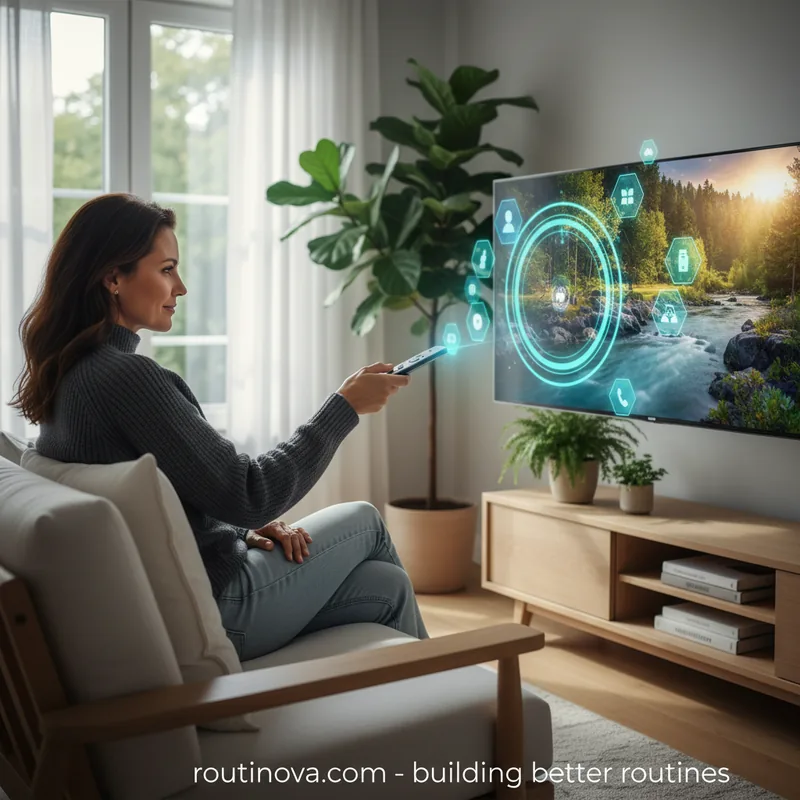
According to a recent study by PwC in 2023, nearly 70% of smart TV users are unaware of the full extent of data collection by their devices, highlighting a significant gap in user knowledge. Whether you're a seasoned streaming enthusiast or just unwrapping your first internet-connected display, there's a world of optimization waiting. Modern smart TVs are powerful entertainment hubs, essentially sophisticated computers with their own operating systems and app ecosystems. Understanding these devices means you can fine-tune them for peak performance, enhanced privacy, and a truly personalized viewing experience. These essential hacks every smart TV owner should know will transform your interaction with your home entertainment.
Optimizing Visuals and Connectivity
One of the most immediate and impactful adjustments you can make to your smart TV involves its visual output and network connection. These initial hacks every smart TV user can implement lay the groundwork for a superior viewing experience.
Disable Motion Smoothing for a Cinematic View
Ever notice that your favorite films or TV series look unnervingly like a daytime soap opera on your new smart TV? This phenomenon is almost certainly due to "motion smoothing," a default setting on many modern displays. This feature attempts to artificially increase the frame rate of content, often from 24 or 30 frames per second to 60 or even 120, creating a hyper-real, almost artificial fluidity.
While motion smoothing can be beneficial for fast-paced live events like sports, it dramatically alters the intended aesthetic of cinematic productions. The TV generates these "extra" frames, which can result in an uncanny blurring effect, detracting from the original artistic vision. Technology experts widely recommend disabling this feature immediately after setup to enjoy content as its creators intended (Digital Trends, 2024).
Prioritize Wired Ethernet for Faster Streaming
High-resolution streaming, particularly 4K content, demands substantial bandwidth. While contemporary Wi-Fi routers are generally capable, especially when your TV is in close proximity, a physical Ethernet connection offers undeniable advantages. This simple hack can significantly enhance your streaming stability and speed.
Firstly, wired connections are inherently more stable and less susceptible to interference from other wireless networks or devices in your home, minimizing frustrating stuttering or audio dropouts. Secondly, connecting your TV via Ethernet frees up valuable wireless spectrum for other devices, a crucial benefit in households with multiple internet users and smart gadgets. Consider running an Ethernet cable if optimal performance is a priority (CNET, 2023).
Enhancing Performance and Personalization
Beyond initial setup, there are several powerful hacks every smart TV owner can employ to make their device feel more responsive, organized, and truly their own. These adjustments focus on optimizing the user interface and overall system health.
Customize Your Home Screen for Quick Access
Smart TVs often arrive with a plethora of pre-installed applications, many of which you might never use, cluttering your home screen. Taking the time to customize this interface is a simple yet effective personalization hack. While the exact method varies by operating system, you can typically press and hold on an app icon to move it, creating a streamlined layout that prioritizes your most frequently used services. Diving into your TV's settings often reveals further customization options.
Clear Your Smart TV's Cache for Smoother Operation
Just like any computer, your smart TV accumulates temporary data and cached files over time. This digital "junk" can gradually slow down your device, leading to sluggish navigation or even app crashes. If your smart TV feels less responsive than it once did, clearing its cache is a powerful troubleshooting step. This process helps refresh the system, often resolving performance issues without needing a full factory reset. Consult your TV's specific settings or user manual for instructions on clearing cached data for individual apps or the system as a whole (TechRadar, 2024).
Disable Quick Start to Save Energy and Boost Stability
Many smart TVs feature a "quick start" mode designed to power on almost instantly. However, this often means the TV isn't truly turning off; it's merely suspending its functions, consuming standby power constantly. While convenient for frequent use, this can be an unnecessary energy drain for TVs used occasionally. More importantly, like any computer, a full shutdown and restart can often resolve minor bugs and performance glitches.
Look for a "quick start" or "instant on" option within your TV's power settings to disable it. For some brands, a complete shutdown might require unplugging the device from the wall, especially if you won't be using it for an extended period. This practice not only conserves energy but can also contribute to a more stable and bug-free operation over time.
Install a Different Launcher for a Fresh Interface
If you're tired of your smart TV's default look and feel, some platforms offer the flexibility to install alternative launchers. These third-party interfaces can completely transform your TV's home screen, offering greater customization, different app layouts, and often enhanced features. For example, Android TV or Google TV users might explore options like 'Projectivy Launcher' to replace the standard interface. While not available for every smart TV model, investigating this option can provide a significant upgrade in user experience for those seeking more control over their device's aesthetics and functionality.
Leverage Voice Commands for Seamless Control
Beyond traditional remote controls, many smart TVs offer sophisticated voice command capabilities. This often overlooked feature can dramatically streamline your interaction with the device. Instead of tediously typing, you can simply speak commands to launch apps, search for content, change settings, or even control other smart home devices. Familiarize yourself with your TV's voice assistant (e.g., Google Assistant, Alexa, Bixby) and explore its full range of commands for a truly hands-free experience. This is one of the most convenient hacks every smart TV owner can master for daily use.
Mastering Privacy and Content Access
Smart TVs, while offering unparalleled entertainment, also raise important questions about privacy and how you access content. These crucial hacks every smart TV owner should implement will help secure your data and broaden your viewing options.
Block Ads on Your Smart TV
Many smart TV interfaces are increasingly laden with advertisements, which can be disruptive and diminish the user experience. Fortunately, it's often possible to block these ads at the network level using your router's settings. By configuring your router's DNS settings to filter known ad servers, you can prevent your TV from even accessing the ad content in its interface. This advanced network hack requires a bit of technical know-how but can significantly clean up your smart TV environment, making navigation smoother and less intrusive.
Disable Automatic Content Recognition (ACR)
A significant factor contributing to the affordability of smart TVs is the practice of Automatic Content Recognition (ACR). Most major smart TV brands employ ACR technology to monitor your viewing habits, creating detailed profiles that can then be sold to third parties for targeted advertising. This data collection is a substantial revenue stream for manufacturers.
If privacy is a concern, disabling ACR is a critical step. This feature is usually found deep within your TV's privacy or general settings menu. Turning it off prevents your TV from "spying" on your viewing choices, offering a greater degree of control over your personal data. This is arguably one of the most important hacks every smart TV user should consider for digital well-being (Consumer Reports, 2022).
Enable Robust Security Features
As sophisticated computers, smart TVs are potential targets for security vulnerabilities. It's imperative to treat your smart TV with the same security diligence as your other connected devices. Regularly update your TV's firmware to patch known exploits, use strong, unique passwords for all connected accounts (e.g., streaming services), and be acutely aware of any built-in microphones or cameras. Review your TV's privacy settings to control access to these features and ensure they are only active when explicitly desired. Implementing a strong Wi-Fi password and network encryption is also fundamental.
Use an Antenna to Access Free Broadcast Channels
While streaming offers an unparalleled library of on-demand content, don't overlook the value of traditional over-the-air (OTA) broadcast television. Many major cultural events, including the Super Bowl, the Olympics, and the World Series, are freely available on network TV. Popular shows on NBC, CBS, ABC, FOX, and PBS can also be accessed without a cable subscription or expensive "live TV" streaming service.
If you reside in or near a major metropolitan area, a simple, inexpensive digital TV antenna can unlock a wealth of free high-definition channels. Simply plug in the antenna, run a channel scan on your smart TV, and you'll gain access to local news, sports, and entertainment without recurring costs. This is a brilliant hack for supplementing your streaming library and saving money.
Set Up Parental Controls for Family-Friendly Viewing
For households with children, setting up robust parental controls on your smart TV is an indispensable hack. These features allow you to restrict access to certain content based on ratings, block specific channels or apps, and even set time limits for viewing. Most smart TVs include built-in parental control options within their settings menu, often protected by a PIN. Taking the time to configure these controls ensures a safe and age-appropriate viewing environment for younger audiences, providing peace of mind for parents (Common Sense Media, 2023).