It's a familiar dance: you open a fresh document, ready to pour your thoughts onto the digital page, only to be met by a flurry of AI prompts. For years, these digital assistants have felt like polite but ultimately intrusive bystanders, more of a click-away annoyance than a genuine collaborator. But something has shifted. Google's latest upgrades to Gemini within Google Workspace are starting to feel… well, genuinely useful. These aren't just more clicks to dismiss; they're features that promise to streamline your workflow and amplify your creativity.
Docs Gets a Smarter Gemini
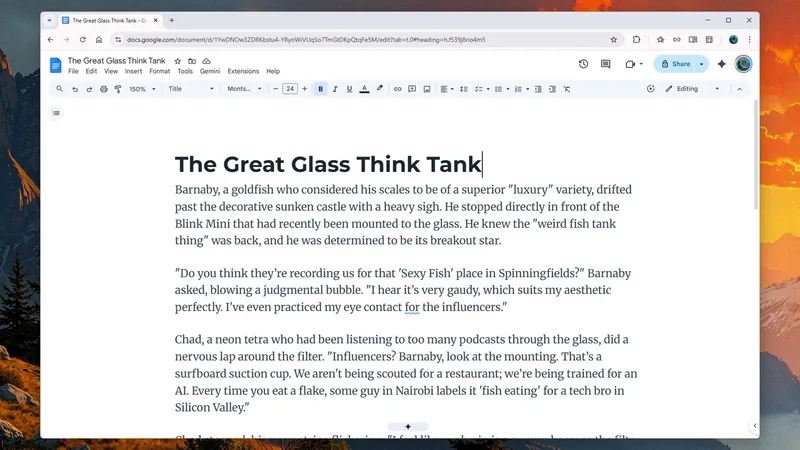
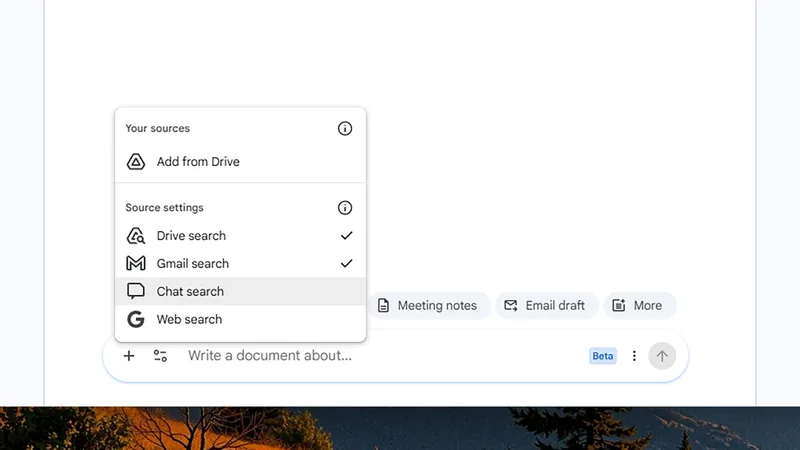
The most immediate change you'll notice is a new Gemini bar at the bottom of your Google Docs screen. This isn't just for generating generic text anymore. You can now prompt Gemini to match the writing style of an existing document, draft emails pulled from your Gmail history, or even compile notes from Google Chat meetings. Need to write a stern but polite email to your neighbors about that rogue recycling bin? Gemini can help draft it, referencing past communications if you allow it. For those who frequently work with existing documents, the style-matching feature is a standout. Upload a document with a tone you admire, and Gemini will attempt to replicate it in your new text. I tried using a formal report as a style guide, and the output, while not perfect, was surprisingly close, requiring only minor tweaks.
This integration goes deeper. By clicking the Gemini star icon, you can access options to import data from your entire Google Drive, Gmail, Chat, and the web. Imagine planning a complex project: you can ask Gemini to summarize all related documents in your Drive, pull in relevant email threads, and even draft an initial project outline. For instance, I asked it to compile a list of potential venues for an upcoming company retreat based on emails about past events and general web searches for local options. The result was a well-organized table that saved me hours of manual research.
Refining existing text is also more intuitive. Highlight a paragraph, and prompt Gemini to make it more concise, more engaging, or to adopt a specific tone. I experimented by asking it to make a dry technical description sound more accessible to a general audience. It suggested analogies and simplified jargon, transforming a dense paragraph into something much more digestible. While the AI's attempts at humor sometimes fall flat (my request for a "jokey" intro was met with suggestions like "hold onto your hats," which I politely declined), its ability to rephrase and restructure content is undeniably powerful.
The real magic, for me, lies in Gemini's ability to synthesize information. I asked it to summarize all the articles I'd written for Lifehacker in the past year, pulling directly from my Google Drive. The output was a neatly formatted, surprisingly accurate overview that would have taken me a significant amount of time to compile myself. This capability alone makes google workspace's new ai features a compelling proposition for anyone drowning in digital information.


Sheets, Slides, and Drive Get Smarter Too
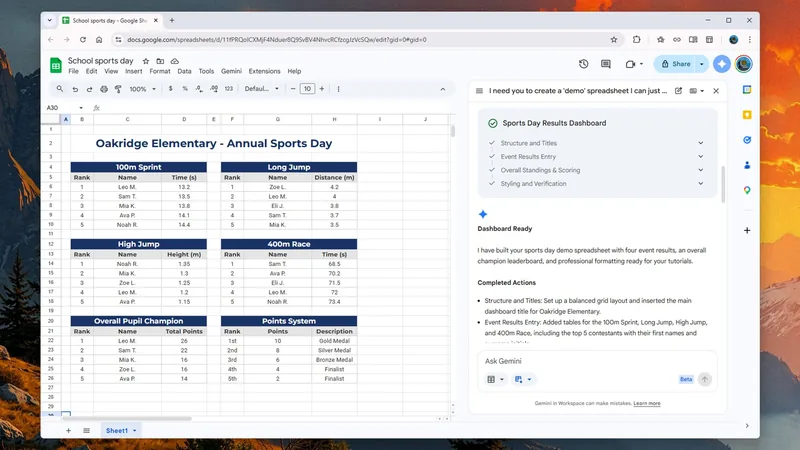
The enhancements extend beyond Docs. In Google Sheets, Gemini is now a formidable data assistant. I tested it by asking it to create a spreadsheet tracking player attendance for a fictional amateur sports league, drawing data from a simple text document I provided. It flawlessly generated a table with player names, attendance percentages, and even suggested a few common player archetypes. This is a significant leap from simply generating charts; it's about creating structured data from unstructured input.
Need to organize a complex event? You can prompt Gemini to build a budget spreadsheet, pulling in relevant quotes from supplier emails and cost estimates from web searches. For example, I asked it to create a hypothetical budget for a small wedding, and it populated rows with categories like venue, catering, and attire, even suggesting estimated costs based on current online data. The AI occasionally prompts for approval before making significant changes, ensuring you remain in control of the process. This collaborative approach makes google workspace's new ai feel less like a tool and more like a partner.
The Gemini integration in Google Slides is still evolving, with full deck generation listed as "coming soon." However, current features allow you to pull in data from other sources, match presentation styles to existing decks, and refine slide content with prompts. While my experience here was a bit more hit-or-miss, with some awkward phrasing and formatting choices, the potential is clear. Imagine creating a presentation about market trends: Gemini could pull relevant data from a Sheet, find complementary images from your Drive, and help structure the narrative flow.
For Google Drive, the updates are particularly exciting, functioning like an AI-powered search engine for your cloud storage. While currently US-only, you can ask natural language questions about the contents of your Drive. For instance, "How many project proposals did I submit in Q3?" or "Summarize all client feedback documents from the last six months." Google's own example of selecting tax documents and asking Gemini for key questions to ask a tax advisor highlights the practical, time-saving potential. This makes navigating your personal or professional digital archives significantly more efficient, showcasing the power of google workspace's new ai.
Genuinely Useful AI, At Last?
My initial skepticism about AI in productivity tools has been considerably softened by these recent Google Workspace updates. While the ability to generate stylistically similar text is a neat party trick, the true value lies in Gemini's capacity to synthesize information, automate repetitive tasks, and act as an intelligent research assistant. The seamless integration across Docs, Sheets, and Drive means you can build complex documents, analyze data, and manage your digital life with unprecedented ease. The promise of google workspace's new ai is not just about doing things faster, but about doing them smarter.
These features are rolling out to Google AI Pro and AI Ultra subscribers with English as their default language. While the prospect of AI continues to spark debate about creativity and human skills, these specific applications in google workspace's new ai seem to strike a practical balance. They aim to reduce the friction in everyday tasks, allowing users to focus on higher-level thinking and strategic work, rather than getting bogged down in manual data entry or information retrieval. It feels less like AI replacing us, and more like AI augmenting our capabilities, finally delivering on the promise of a truly helpful digital assistant.