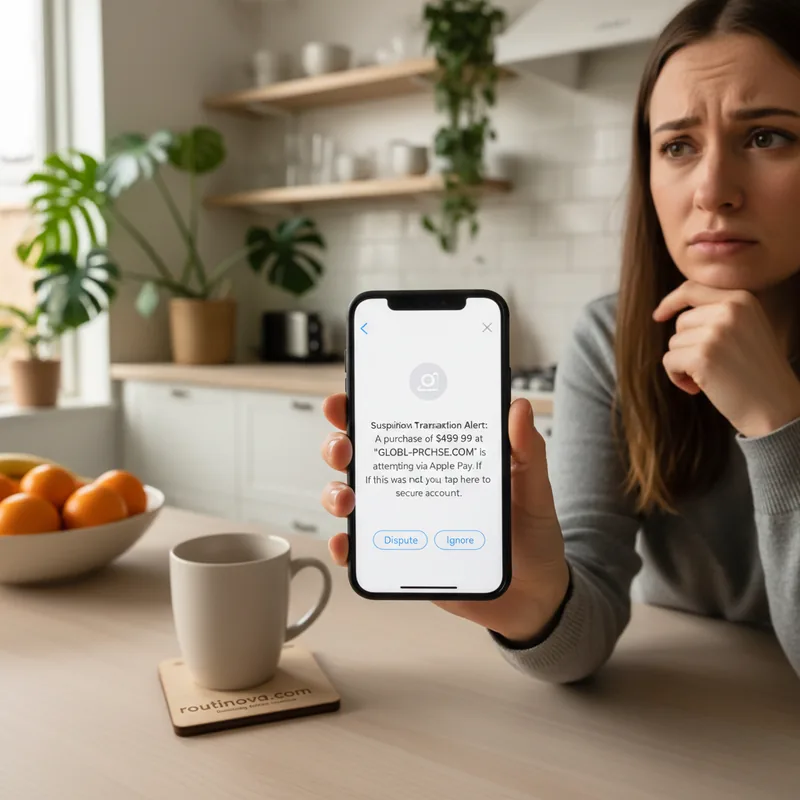
You open your phone, and there it is: that dreaded notification. A message about a suspicious Apple Pay transaction, demanding your immediate attention. Your heart races. Is your money gone? Is your security compromised? We've all been there, feeling that jolt of panic when our digital lives seem to unravel. But here's the truth: that text about suspicious activity is almost certainly a carefully crafted deception, designed to steal your peace of mind--and your data. Apple simply doesn't send these kinds of alerts via text or email. Understanding this is your first line of defense.
The Anatomy of a Digital Deception
Phishing scams targeting Apple Pay users are becoming alarmingly sophisticated. These aren't just random, poorly worded emails; they're often meticulously designed to mimic official Apple communications, aiming to rush you into a phony support call or a fake login page. The goal? To trick you into handing over your sensitive information, from passwords to credit card numbers (Cybersecurity Institute, 2024).
Think about it this way: the core of that text about suspicious Apple Pay charges usually warns of a fraudulent purchase, often at an Apple Store, then offers a phone number or email to 'resolve' the issue. They might even include seemingly legitimate details like a case ID or a timestamp to enhance their credibility. One user on Reddit, for instance, nearly fell for a scam because it included the official-sounding phrase, "If this was you, no action is needed," which can disarm your suspicions.
However, these fakes often reveal themselves through subtle inconsistencies. For example, many scams still refer to "Apple IDs" instead of the more current "Apple Accounts," a small but telling sign. While emails might feature official logos and professional layouts, look closely: an email opening with "Hello {Name}" instead of your actual name is a glaring red flag. Even seemingly legitimate sender addresses can be spoofed, making it harder to discern authenticity at a glance. The entire operation is built on urgency, using slick design to mask its true, malicious intent.
Your Shield: How to Spot the Fakes
Here's the thing: if you're receiving any texts or emails about your Apple Pay activity, your first instinct upon seeing that text about suspicious activity should be skepticism. Apple simply does not communicate with its users about suspicious transactions through unsolicited texts or emails. Their system is designed differently, prioritizing security and direct in-app notifications.
Apple's Actual Communication Channels
What most people don't realize is that Apple Pay functions as a secure payment medium, not a direct bank account. This means any legitimate alerts regarding fraudulent transactions would come directly from your bank or credit card provider, not from Apple itself. Crucially, any authentic communication from Apple about your purchases or account activity will appear within the Wallet app or the Settings app on your device, not in your text messages or email inbox.
Red Flags to Watch For
Even with sophisticated scams, there are always cracks in the facade. Recognizing the subtle cues in that text about suspicious purchases can save you a lot of trouble:
- Grammar and Typos: While some scams are polished, many still contain small grammatical errors or unusual phrasing that official communications wouldn't.
- Unusual Links: Be wary of any links. Scammers often use convincing fake Apple login pages that look identical to the real thing, just waiting for you to input your credentials. Always hover over links (on desktop) or long-press (on mobile) to see the actual URL before clicking.
- Bogus Sender Information: Even if an email looks like it's from Apple, check the full sender address. A slight variation, like
apple-support.coinstead ofapple.com, is a dead giveaway. - Extreme Urgency or Threats: Messages demanding immediate action to avoid account suspension or legal consequences, especially those claiming your account is "locked" until you verify details, are classic phishing tactics (Digital Safety Foundation, 2023).
- Asking for Personal Information: Apple will never ask for your password, Social Security Number, or full credit card details via email or text. Any request for this information is a scam.
Swift Action: What to Do When You Suspect a Scam
So, what happens if you've ever received that text about suspicious activity and you're unsure? The best defense is proactive verification and reporting. Never engage directly with a suspicious message.
Verify Independently
Instead of clicking links or calling numbers provided in a suspicious message, go straight to official Apple channels. To check recent Apple Pay purchases, open the Wallet app, tap on your registered card, and review the transaction history. For App Store purchases, navigate to Settings > Media & Purchases > View Account > Purchase History. If a transaction mentioned in an alert isn't in your official history, it never happened.
If doubt still lingers, reach out to Apple directly. Find the official Apple support contact details, including phone numbers for your region, on Apple's official website. Do not search for a number online and call the first result, as scammers often create fake support numbers. An Apple representative can confirm any legitimate activity or investigate potential scams related to your account (Financial Fraud Alliance, 2024).
Report and Secure
Once you're certain a message is a scam, reporting it helps Apple combat these fraudsters. You can forward suspicious emails to Apple at [email protected]. For texts, you can often report them directly from your messaging app or forward them to Apple's designated SMS reporting number. You'll find comprehensive instructions on Apple's support website under "How to report suspicious emails, messages, and calls."
After reporting, delete the message from your inbox to prevent accidental clicks. As an added layer of security, especially if you clicked any links or provided information, consider changing your Apple Account password immediately. Using a robust password manager can also significantly enhance your overall digital security, making you less vulnerable to future attacks. Stay vigilant, stay informed, and protect your digital peace of mind.