If you've ever felt a pang of panic when a beloved movie vanished from your streaming service overnight, you're not alone. It's a frustrating reality of modern entertainment: the more convenient streaming becomes, the less control we seem to have over our own libraries. But what if there was a way to ensure your favorite films and shows were always there, truly yours to watch whenever you please? In 2026, the answer lies in understanding the subtle difference between licensing and true ownership, and how to buy content that you can actually keep, forever.
The Illusion of Digital Ownership
We live in an era where buying movies and TV shows digitally feels as simple as clicking a button. Platforms like Apple TV, Amazon Prime Video, and Google Play Movies & TV make it incredibly easy to add titles to your digital library. You pay a price, often comparable to a movie ticket or less, and gain access to content on any compatible device.
However, here's the crucial distinction: what you're actually purchasing is a license to view, not outright ownership. Think of it like a long-term rental agreement. As long as the platform holds the rights to that content, you can watch it. But the moment those rights expire or are revoked, your access can disappear, regardless of how much you paid. We've all experienced the frustration of seeing a film we thought we owned suddenly become unavailable, a stark reminder that digital purchases are often at the mercy of licensing deals.
While digital purchases and rentals are fantastic for convenience and accessing titles not readily available on subscription services, they don't offer the permanence of true ownership. You might have bought a season of a show years ago on iTunes, and it's still there today. But the landscape changes rapidly, and relying solely on digital licenses for your cherished collection is a risky bet.
True Ownership Means Physical Media
If your goal is to genuinely own your movies and TV shows, ensuring they remain accessible indefinitely, then investing in physical media is the only reliable path forward in 2026. This primarily means embracing DVDs and Blu-rays. The idea might seem quaint in our increasingly digital world, but without a tangible copy, your collection exists only as long as a streaming service decides it should.
Even with physical discs, there's a technicality: you're still acquiring a license to watch. This is why you can't publicly screen a DVD you own without securing additional rights. However, the practical difference is immense. While it's theoretically possible for companies to revoke digital licenses (and they have), cutting off access to someone holding a physical disc is vastly more complex. Barring extreme, unprecedented technological interventions with internet-connected players, your DVD or Blu-ray is yours to keep and play.
For those looking to build a lasting library, DVDs and Blu-rays are the most accessible and versatile physical formats. While older formats like VHS and LaserDisc have their nostalgic appeal, modern discs offer superior quality and are readily available.
Physical Media Offers Superior Quality
Beyond guaranteed access, physical media often delivers a superior viewing experience compared to its digital counterparts. While streaming quality has improved dramatically, modern discs, especially Blu-rays and 4K UHD Blu-rays, generally offer higher bitrates. Bitrate refers to the amount of data used to transmit video and audio information per second. A higher bitrate means more detail, richer colors, and sharper images, particularly noticeable in fast-moving scenes or dark areas of the picture.
Streaming services often prioritize resolution (like 4K) but can compromise on bitrate due to internet connection variability. This means your 4K stream might have more pixels, but a 1080p Blu-ray with a higher bitrate could actually display more visual information. For instance, a 1080p Blu-ray of *The Dark Knight* with a bitrate of 24 Mbps can offer more detail than a 4K stream of the same movie, even if the stream has a theoretically higher resolution, because the stream's average bitrate might be significantly lower due to network conditions (as low as 15 Mbps in some cases). A 4K Blu-ray, with bitrates reaching up to 47.16 Mbps, offers an even more significant advantage.
The difference is even more pronounced in audio. Streaming audio is typically more compressed than what's found on Blu-ray discs. While a 4K stream might offer Dolby Digital 5.1 at 640 kbps, a Blu-ray can deliver lossless audio formats like Dolby TrueHD or DTS-HD Master Audio, with bitrates potentially reaching 4,608 kbps or even 6,912 kbps for 4K discs. This translates to a richer, more immersive sound experience, especially when paired with a good sound system.
Of course, to truly appreciate these differences, you'll need a capable display and audio setup. But for those invested in home theater, the clarity and depth offered by physical media are undeniable. You'll notice finer details, better contrast in dark scenes, and a more dynamic soundscape.
Where to Buy Physical Media in 2026
Finding physical copies of movies and TV shows in 2026 is still remarkably straightforward. Major retailers like Walmart and Target continue to stock a wide selection of DVDs and Blu-rays. You can easily walk into one of these stores and find new releases or popular older titles.
For a more extensive or curated selection, online retailers like Amazon and Best Buy are excellent resources. Amazon, in particular, offers a vast marketplace with numerous sellers, often including rare or out-of-print editions. Specialty retailers like Barnes & Noble also carry physical media, notably The Criterion Collection, which is renowned for its high-quality releases of classic and independent films. If you're a serious collector, consider buying directly from labels like Criterion.
While you might expect physical media to be inexpensive given the rise of streaming, prices can vary significantly. Blu-rays, and especially 4K UHD Blu-rays, can be quite pricey. To find the best deals, it's wise to follow websites that track physical media sales, such as Blu-ray.com. These sites often list discounts and promotions, allowing you to build your collection more affordably. Be prepared to invest if you're aiming for newer releases or collector's editions; timing purchases around major sales events, like the Barnes & Noble semi-annual 50% off sale, can be a smart strategy.
Equipment for Your Physical Media Collection
If you've largely embraced a streaming-only lifestyle, you might not have a device capable of playing DVDs or Blu-rays. Fortunately, dedicated Blu-ray players are still available, though the market is shrinking. Leading brands like Sony and Panasonic continue to produce reliable players. For example, the Sony UBP-X700M is a well-regarded option that can often be found for under $300 (used) and supports advanced formats like Dolby Vision HDR.
Alternatively, if you own a modern game console, you likely already have a Blu-ray player built-in. The PlayStation 5 and Xbox Series X/S can play Blu-ray discs. However, keep in mind that these consoles may have limitations. For instance, they might only support HDR10 and not the more advanced Dolby Vision HDR. If Dolby Vision is a priority for your viewing experience, a dedicated Blu-ray player is recommended. Otherwise, your console is a perfectly capable machine for enjoying your growing collection, provided it has a disc drive.
Rip Your Discs for Digital Convenience
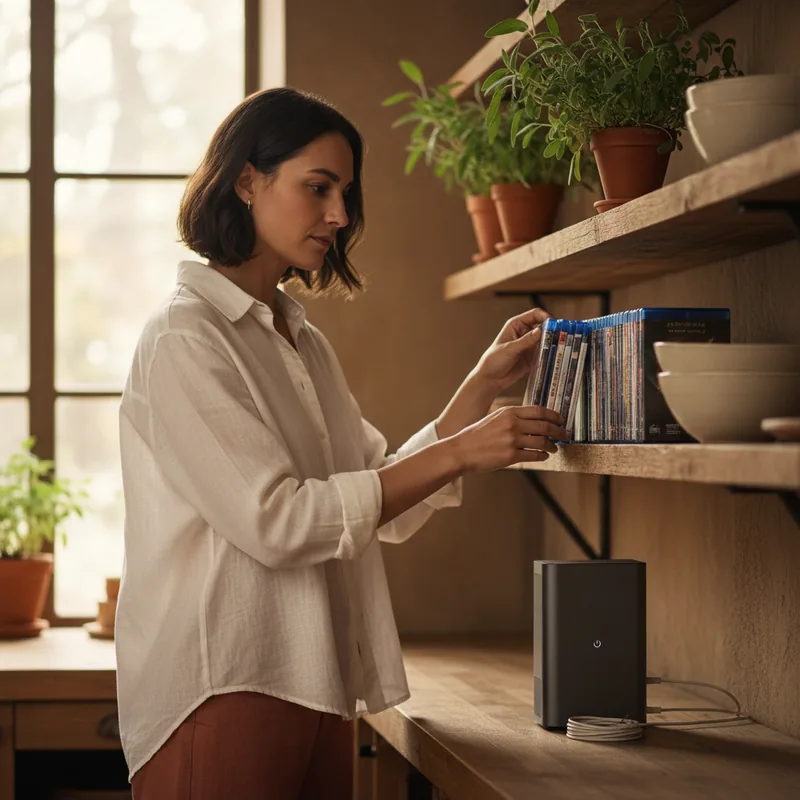
For the ultimate blend of permanence and convenience, you can create your own private streaming service. By ripping the video files from your physical discs, you can upload them to a personal media server and access them from anywhere using software like Plex or Jellyfin. This essentially gives you the flexibility of digital access without the licensing risks associated with purchasing digital copies.
The process involves using specific software and hardware. For DVDs, you'll need a DVD drive connected to your computer and a program like Handbrake. To rip Blu-rays, particularly 4K discs, you'll require a Blu-ray drive and software like MakeMKV. Ripping Blu-rays can be more complex and may require following detailed guides to ensure successful extraction. This method also serves as a valuable backup, protecting your collection against disc damage or unforeseen digital license revocations.
It's important to note that circumventing Digital Rights Management (DRM) on commercial discs can be a legal gray area, potentially violating laws like the Digital Millennium Copyright Act (DMCA) in the US. While creating backup copies is often considered fair use, the methods used to bypass DRM may not be. Proceed with awareness of these technical and legal considerations.