Imagine this: You've just invested in a pair of premium Apple AirPods, only to find their most intuitive features--like answering a call with a nod--are locked behind the Apple ecosystem. Frustrating, right? For years, using AirPods with an Android device meant basic audio playback and little else. That all changes now. A groundbreaking app is making it possible to harness nearly all of your AirPods' advanced functionalities directly from your Android phone.
The End of AirPods Limitations on Android
For the longest time, the answer to using AirPods with Android was a resounding 'sort of.' Sure, Bluetooth connectivity meant you could listen to music or podcasts, but the magic--the seamless integration, the smart gestures, the precise battery readouts--remained elusive. Previously, unlocking these features on Android required complex workarounds like jailbreaking your device and sideloading software. It was a barrier that kept many Android users from fully enjoying their AirPods.
But here's where it gets exciting: a powerful app called LibrePods has arrived, and it's now available on the Google Play Store without any need for rooting or jailbreaking. This app, which has been around in a more complex form for a couple of years, now installs just like any other application. This shift is thanks to a recent fix in Android's Bluetooth stack, specifically rolled out with Android 16 QPR3. This means you can finally access advanced AirPods features on compatible Android devices.
Currently, this update is rolling out to Google Pixel, OnePlus, Oppo, and Realme devices. As more manufacturers adopt Android 16 QPR3, Samsung Galaxy users and others will soon join the party. This app truly lets you bridge the gap between your Apple earbuds and your Android phone.
Unlocking the Full AirPods Experience
So, what exactly can you do with LibrePods? The list is impressive. You gain access to head gestures--imagine accepting or rejecting calls with a simple nod or shake of your head. Noise control modes, allowing you to toggle between Active Noise Cancellation and Transparency mode, are also at your fingertips. Ear detection, which pauses playback when you remove an AirPod, and more accurate battery level reporting are now standard. Plus, there's the incredibly useful conversational awareness feature, which intelligently lowers the volume of your audio when you start talking to someone.
It's important to note that some of these premium features, like head gestures and conversational awareness, do require a one-time in-app purchase of $4.99. You can easily see a clear breakdown of the free versus paid features by tapping the cog icon on the app's main settings screen. Think of it as a small price for unlocking the full potential of your AirPods on your preferred platform.
For example, you could set a head nod to accept incoming calls, meaning you never have to fumble for your phone during a workout. Or, configure a head shake to reject them, keeping your focus on your run. This level of customization, previously unthinkable on Android, is now a reality.
Getting Started with LibrePods
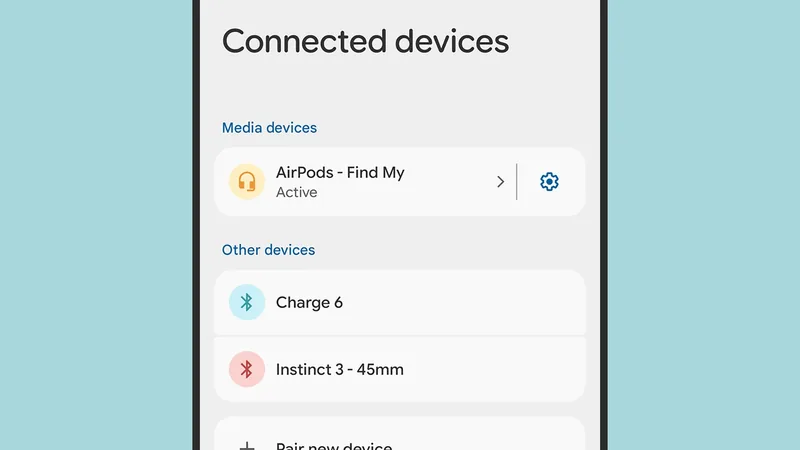
Connecting your AirPods to your Android phone is the first step. Head to your phone's Settings, navigate to 'Connected devices,' and then 'Pair new device.' You'll need to put your AirPods in pairing mode, usually by pressing the button on the case. Once your AirPods are paired via Bluetooth, LibrePods should detect them. Make sure your AirPods are actively connected--often this means taking them out of their case--for the app to recognize them and display their specific options.
Navigating LibrePods is refreshingly straightforward. The main screen allows you to easily switch between listening modes: Transparency mode to let ambient sound in, Active Noise Cancellation to block distractions, and Adaptive mode for an automatic balance. You can also customize the press-and-hold action on each AirPod, assigning it to control volume, skip tracks, or even launch your preferred voice assistant, like Gemini. Choosing which AirPod microphone is active by default is another handy customization.
If you've purchased the premium features, tapping 'Head Gestures' lets you fine-tune the sensitivity. Need a more pronounced nod to register? You can dial up the sensitivity. This ensures the gestures work reliably for you. Within the cog icon settings, you'll find even more options: enable a home screen widget for quick battery checks, adjust the volume reduction level for conversational awareness, and set preferences for automatic media playback connection to your AirPods.
This app lets you tailor your AirPods experience precisely to your needs, making them feel truly integrated with your Android device. It's a testament to how software can overcome hardware limitations, offering a level of functionality that rivals native integration.