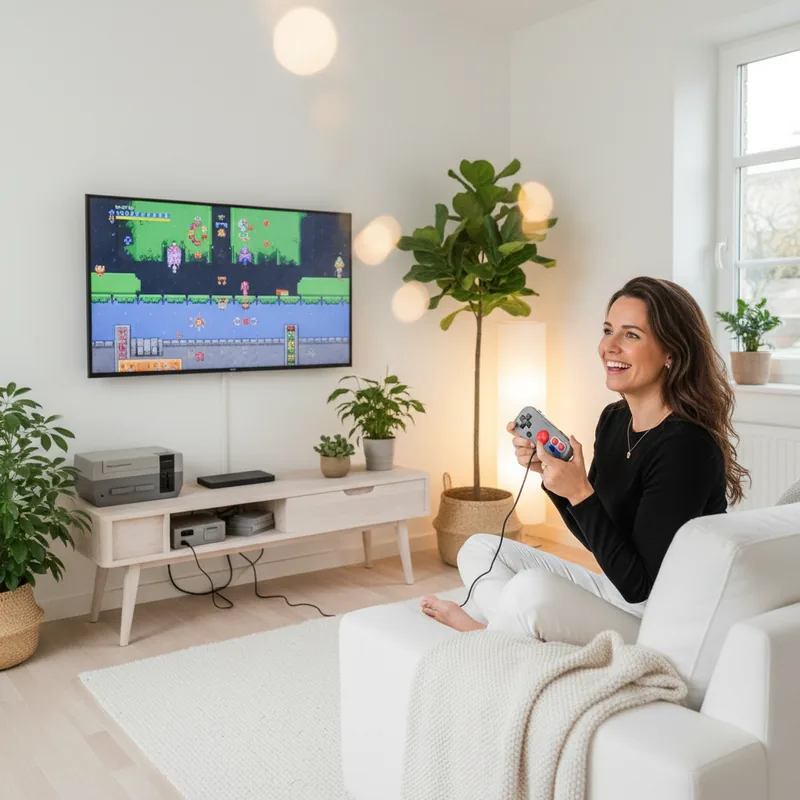
The faint glow of the CRT monitor, the satisfying click of a cartridge sliding into place, the iconic chiptune melodies – these are the sensory triggers that transport millions back to simpler times. But what if you could relive those golden gaming eras not on a dusty attic console, but on the sleek, high-definition screen in your living room, or even in the palm of your hand? For years, accessing beloved retro games meant hunting down vintage hardware, navigating complex connections, and hoping for the best. Now, the power to play nearly any classic game on your modern devices is within reach, and it's surprisingly accessible and, crucially, legal.
What is Video Game Emulation?
Emulation might sound like a technical wizardry reserved for hardcore tech enthusiasts, but at its core, it’s a clever use of modern computing power. Think of it like a translator: an emulator is a piece of software that mimics the hardware of an old game console on your current device. It tricks the game files, often called ROMs, into thinking they’re running on their original hardware, allowing them to boot up and play just as they did decades ago.
This process isn't new; it typically emerges once a console generation is a few years past its prime, giving developers time to understand its inner workings. Today, emulators exist for everything from the humble NES to surprisingly complex systems like the Nintendo Switch. While console manufacturers might not always cheer this on, the law is generally on the side of emulation, provided the emulators themselves are built from scratch and don't include copyrighted code. This means the emulator software is legal, but you'll need to provide your own game files.
The good news is that acquiring these game files legally is more straightforward than you might think. Many modern devices, like specialized handhelds or even PCs, can be used to create backup copies of games you already own. This allows you to play your cherished library on new hardware without resorting to piracy. It’s a win-win for preserving gaming history and enjoying it today.
The Legal Landscape of Emulation
The legality of emulation often hinges on a crucial distinction: the emulator itself versus the game files. As long as an emulator is developed independently, without copying proprietary code from the original console manufacturer, it’s generally considered legal. Court rulings have affirmed this right, allowing developers to create software that replicates hardware functionality. This is why you won't find emulators bundled with game ROMs; that part is up to you.
So, how do you ensure you're staying on the right side of the law when it comes to your game collection? The most straightforward method is to create backups of games you already own. There are numerous legal devices available that can help you “rip” game data from cartridges and discs. For instance, devices like the Retrode 2 can copy ROMs from SNES or Genesis cartridges directly to an SD card. Similarly, some PC emulators can even read discs directly from your computer’s optical drive, provided you own the original game disc.
This approach not only keeps you legally compliant but also provides a satisfying sense of ownership and preservation. It’s about enjoying your existing collection in a new way, rather than acquiring games you don’t own. Remember, the key is that you must own the original game to legally create and use a backup copy for emulation.
The Upsides and Downsides of Emulation
While emulation offers a fantastic gateway to retro gaming, it's not without its trade-offs compared to playing on original hardware. Accuracy is often the biggest concern. Some games might exhibit minor graphical glitches or audio quirks because the emulator isn't a perfect 1:1 replica of the original console's hardware. You might also experience input lag, where there's a slight delay between your button press and the action on screen, as the emulator processes your input through software.
Some particularly complex or unique games, especially those with unconventional hardware requirements, might not run at all. The original Xbox, for example, is notoriously difficult to emulate effectively due to its complex architecture.
However, the benefits of emulation often outweigh these drawbacks, especially thanks to the power of modern devices. One of the most significant advantages is enhanced performance. Emulated games can often run smoother, hitting higher frame rates than they did on original hardware. You can also frequently render games at much higher resolutions, effectively playing them in crisp HD. Imagine playing Ocarina of Time in 4K – it’s a visual upgrade that original hardware couldn’t dream of.
Perhaps the most game-changing feature for many is the introduction of save states. These allow you to save your game at any precise moment, instantly, and reload from that exact point later. This is a lifesaver for challenging retro games or for players with limited time. Stuck on a brutal boss fight? Save state before you engage, and if you fail, you can retry instantly without replaying an entire level. Just remember, save states can sometimes introduce instability, so it’s wise to use them alongside traditional in-game saves rather than as a complete replacement.
Beyond these core benefits, emulation opens doors to further enhancements like widescreen hacks for 3D games, which let you play in a more modern aspect ratio without distortion, and custom HD texture packs that can refresh the look of older environments. These improvements are precisely why many enthusiasts prefer emulation, even when original hardware is readily available.
Setting Up Your Retro Gaming Station
The beauty of emulation is its versatility. Most modern devices, from high-end PCs to budget smartphones, are capable of running emulators to varying degrees. The joke that Doom can be played on a toaster highlights this point, but for a smooth experience, a few key components can make a big difference.
For PC Gamers: If you're connecting your computer to a monitor, a good controller is highly recommended. While keyboard and mouse controls often work, a gamepad will significantly enhance the retro console feel. Beyond that, your existing PC might be more than capable. Even a decade-old desktop can often emulate games up to the PlayStation 2 and GameCube era at full speed, with upscaling capabilities.
For TV Playback: Bringing retro gaming to your big screen often involves a bit more planning. You'll still want a controller, but instead of lugging a full PC, consider these options:
- Gaming Handhelds (e.g., Steam Deck): These devices are powerful, portable, and designed for gaming. With the right setup, a Steam Deck can become a versatile emulation hub for nearly any console. Its compact nature and easy TV output via a dock make it an excellent choice, though prices can fluctuate.
- Single-Board Computers (e.g., Raspberry Pi): A more budget-friendly option, a Raspberry Pi (often purchased as a kit with a case, power supply, and storage) is a popular choice. It requires a bit more technical know-how to set up and might struggle with emulating systems more demanding than the original PlayStation.
- Android TV Boxes/Sticks: Devices like the NVIDIA Shield TV are powerful enough for many emulation tasks and offer a streamlined Android TV experience. They connect directly to your TV and can be paired with controllers for a console-like feel.
For Mobile Gaming: Don't underestimate your smartphone! Both iOS and Android devices can run a surprising number of emulators. For portable play, consider dedicated Android handhelds that integrate physical controls, mimicking devices like the PSP or Nintendo DS. These often support touch controls or Bluetooth controllers. Plus, with a USB-C dock, you can connect your phone to a TV for a larger screen experience when you're home. This flexibility means you can take your retro library anywhere.
New Example: Imagine a digital nomad who travels light. Instead of packing multiple consoles, they carry a small, powerful mini-PC the size of a USB stick, plug it into any hotel TV, connect a Bluetooth controller, and instantly have access to their entire retro gaming collection. This is the power of modern emulation hardware.
Choosing and Installing Emulators and Frontends
With your hardware ready, it's time to dive into the software. The world of emulators is vast, with dedicated applications for almost every system imaginable. Here are some of the most popular and reliable choices:
- RetroArch: A versatile all-in-one solution that supports multiple emulator “cores” for systems up to the PS1 era.
- DuckStation: A highly regarded standalone PS1 emulator known for its stability and enhanced graphics.
- Mupen64Plus FZ: A robust Nintendo 64 emulator, often preferred for its performance and features over RetroArch cores.
- Redream: A popular Sega Dreamcast emulator offering upscaled graphics and widescreen support.
- Drastic DS Emulator: A feature-rich Nintendo DS emulator, especially popular on Android.
- Citra: A leading Nintendo 3DS emulator, known for its graphical enhancements and community support.
- PPSSPP: The go-to PlayStation Portable emulator, offering excellent performance and a polished interface.
- Dolphin: The definitive emulator for GameCube and Wii, renowned for its stability, upscaling, and support for custom graphics drivers.
- PCSX2: A powerful PlayStation 2 emulator, ideal for PS2 exclusives, though it’s not available on mobile.
- AetherSX2: A capable PS2 emulator for Android devices, offering many features of Dolphin but with varying stability.
- Cemu: A high-performance Wii U emulator requiring a powerful machine, supporting upscaling and custom graphics drivers.
- RPCS3: A cutting-edge PS3 emulator that demands significant hardware power but offers upscaled graphics and save states.
- yuzu/Ryujinx: Leading Nintendo Switch emulators that require top-tier hardware and offer upscaled graphics, though save state support can vary.
Most of these are available across Windows, macOS, Linux, and Android. iOS users have fewer high-end options due to platform restrictions, but can find excellent emulators for older systems.
Installing emulators one by one can be tedious. This is where emulator installers and frontends come in, streamlining the process and providing a console-like experience.
Emulator Installers
These tools simplify the setup by automating the installation of multiple emulators and organizing your game library. EmuDeck is a prime example, offering a guided setup for installing emulators and configuring frontends like Emulation Station on devices like the Steam Deck, Windows, and Linux. For Linux users, RetroDECK offers similar functionality with a focus on customization. There are also options like Retrobat, which aims to bridge the gap between EmuDeck and Retrodeck and is compatible with macOS.
Using an installer is highly recommended, especially on platforms like Android where sideloading apps can become more complex. They often handle initial configurations, such as aspect ratios and upscaling settings, saving you significant time.
Emulator Frontends
A frontend acts as your central dashboard. It scans your game files, organizes them by system or custom collections, displays box art, and launches the correct emulator when you select a game. Emulation Station Desktop Edition (ES-DE) is the most popular and robust choice, known for its extensive customization options and polished appearance. It’s often bundled with installers like EmuDeck.
Alternatives like Attract-Mode offer more flexibility for desktop users, while mobile platforms have options like Dig and Pegasus Frontend, which provide more playful or unique interfaces. For a truly plug-and-play experience, consider Batocera.linux. This is a dedicated Linux distribution that comes pre-loaded with emulators and a customized frontend, designed to boot directly into a gaming environment from a USB drive or internal installation.
New Example: A family sets up a Raspberry Pi running Batocera.linux connected to their main TV. Their kids can then easily navigate a visually appealing menu of classic games like Super Mario World and Sonic the Hedgehog, selecting and playing them without needing to understand the underlying emulation technology.
Making Your Retro Games Look Their Best
One of the most exciting aspects of emulation is the ability to enhance the visual presentation of classic games. You have three main avenues: sticking to the raw emulation output, upscaling to HD, or applying retro-style filters.
Raw Output: This aims to replicate the original display faithfully. However, on modern high-resolution screens, pixels can look blocky, and the intended visual smoothness might be lost.
HD Upscaling: This is where modern hardware shines. You can render games at resolutions far beyond what was originally possible, resulting in a sharper, cleaner image. For 3D games, this means smoother polygons and clearer textures. For 2D games, it can make pixel art pop with clarity.
CRT Filters: To recapture the authentic feel of playing on old televisions, CRT filters are essential. These shaders mimic the soft glow, scanlines, and slight blur of CRT displays, which were integral to how pixel art and low-poly graphics were originally perceived. This isn't just for aesthetics; it can make harsh pixels appear more organic and hand-drawn.
Enhancing 3D Games
For 3D titles, widescreen hacks are a popular modification. These adjust the game's field of view to fit modern 16:9 displays, often revealing more of the game world rather than just stretching the original 4:3 image. While not always perfect and sometimes breaking specific level designs (like in early Resident Evil), they can dramatically improve immersion in many platformers and action games.
HD Texture Packs are another powerful tool. These fan-made replacements can upgrade low-resolution UI elements, sprites, and environmental textures that upscaling alone won't fix. For example, fan projects exist to overhaul the textures in games like The Legend of Zelda: Ocarina of Time, making dungeons and characters appear significantly more detailed. It’s crucial to find packs designed for your specific emulator and game version.
Enhancing 2D Games
The magic of 2D emulation often lies in recreating the CRT experience. Pixel art was designed with the limitations and characteristics of old televisions in mind. Filters can add subtle scanlines and a gentle blur that smooths out the harsh edges of pixels, making them appear more cohesive and less like a grid.
Shaders like zfast-crt.slangp in RetroArch offer a fantastic, subtle CRT effect that feels authentic. For those with high-refresh-rate displays (120Hz), techniques like black frame insertion can combat motion blur, mimicking the way CRTs rendered fast-moving images. While RetroArch has built-in options, custom shaders like crt-beam-simulator.slangp can offer even more nuanced control over the retro aesthetic.
New Example: A retro enthusiast meticulously configures their emulator to run Chrono Trigger. They use a CRT shader to simulate the look of their childhood TV, apply a subtle smoothing filter to the pixel art, and enable black frame insertion on their 120Hz monitor to eliminate any ghosting from character animations, achieving a visual experience that feels both nostalgic and modernly smooth.
The journey into retro game emulation is a rewarding one, offering a portal to gaming's rich history. Whether you're aiming for perfect visual accuracy or embracing modern enhancements, the tools and communities exist to help you relive your favorite classic titles on almost any device. The frontier of retro gaming is brighter and more accessible than ever.