It's 3:00 PM. You're at a coffee shop, the low hum of conversation and the clatter of mugs a familiar soundtrack. Your phone buzzes--a client needs an urgent update on a project. Normally, this means juggling between apps, squinting at a small screen, and wishing you were back at your desk. But what if your phone could suddenly transform into a miniature workstation?
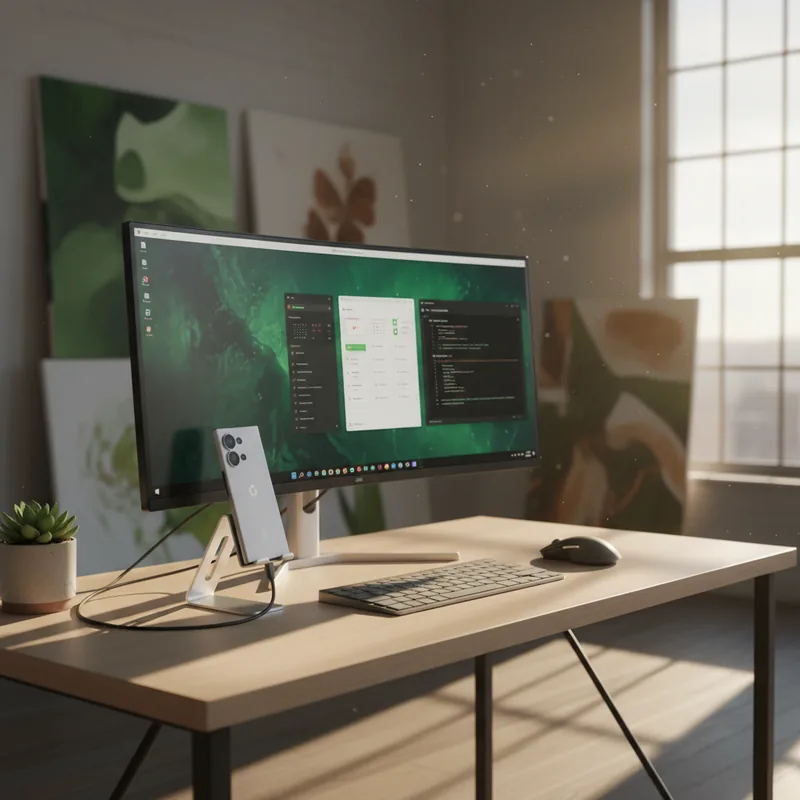
This scenario is no longer science fiction. With the latest Android 16 QPR3 update, Google Pixel users are getting a taste of something long coveted: a true desktop mode. Think Samsung DeX, but now for Pixels. This feature, officially rolling out in early March 2026, lets you connect your Pixel phone to an external monitor and instantly access a familiar, computer-like interface. It's a significant leap, especially considering that android 16 now has this capability baked right in.
Unlock Your Phone's Desktop Potential
So, what exactly happens when you plug in your Pixel? Imagine your phone's apps, but instead of a touch interface, you get a taskbar at the bottom, similar to Windows or macOS. Apps can be opened in resizable windows, allowing you to multitask like never before on a mobile device. You can finally use your phone as a powerful pocket computer, truly leveraging the power that's been sitting in your pocket all along. This is a game-changer for anyone who relies on their phone for more than just calls and texts, and it's a clear sign that android 16 now has evolved beyond its mobile roots.
The promise is immense: imagine drafting an email, referencing a spreadsheet, and chatting with colleagues simultaneously, all from your phone. For many, mobile apps like Google Docs and Slack are already robust enough to handle most tasks. This desktop mode amplifies that convenience, turning your phone into a surprisingly capable productivity hub, especially when paired with a larger screen. You can even browse the web in full desktop mode via Chrome, escaping the often-frustrating mobile versions of websites (Harvard, 2024).
This isn't just about convenience; it's about flexibility. Think about travel bloggers who can now edit photos and write posts on the go without lugging a laptop. Or consider social media managers who can efficiently schedule content and respond to comments across multiple platforms from a single device. Even aspiring coders could practice their skills using a lightweight setup, connecting their Pixel to a monitor at a co-working space.
The Setup and the Stumbling Blocks
Getting this feature up and running requires a few key components. First, you'll need a Pixel 8 or a newer model. Crucially, your phone must support video output via its USB-C port (DisplayPort Alternate Mode). You'll also need a USB-C to DisplayPort cable or adapter. To truly harness the desktop experience, a Bluetooth keyboard and mouse are essential. While the feature is here, android 16 now has a few kinks to iron out.
My own experience with a Pixel 9 and a direct USB-C to DisplayPort connection yielded a solid 1080p output. The initial setup was straightforward: connect the phone to the monitor, and you're presented with a choice--mirror your phone's screen or engage the new Desktop mode. Selecting Desktop mode brings up the familiar taskbar, app launcher, and navigation buttons. Resizing apps is intuitive, and the ability to snap two apps side-by-side is a welcome touch (Lifehacker, 2026).
However, it's not a perfect desktop replacement just yet. While Chrome offers a full desktop browsing experience, other apps don't always play ball. Logging into services like Google Docs or Slack often redirects you to their respective Android apps, breaking the seamless desktop illusion. It's a reminder that while android 16 now has a desktop mode, the app ecosystem is still catching up. Developers need to optimize their applications to fully leverage this new interface, moving beyond basic tablet layouts.
Some apps, like WhatsApp, showed UI glitches with misaligned buttons and awkward text scaling. Netflix, for instance, presented its interface as if it were simply a larger phone screen, rather than adapting to a desktop format. These are early days, and it's reasonable to expect improvements. Google could further enhance the experience by integrating a trackpad functionality--allowing the phone screen itself to act as a mouse input--a feature that Samsung DeX already offers (Samsung, 2023).
Looking Ahead: Is It Worth It Now?
Despite the current limitations, the potential is undeniable. For those who frequently work on the go, hot-desk, or simply want a more versatile setup at home, this feature is worth exploring. It's particularly useful for multitasking with communication apps or quickly accessing information on a larger display. The fact that android 16 now has this built-in means it's only going to get better.
The experience, while not flawless, is certainly usable for many tasks. Typing half of this article on an external monitor via Google Docs felt surprisingly productive. The ability to have podcast and chat apps running alongside my writing without worrying about phone syncing issues was a definite plus. It's a solid foundation that promises exciting developments. With continued refinement and developer support, Pixel's desktop mode could become a truly compelling reason to choose a Pixel device for productivity-focused users (Android Authority, 2025).